
CleanShot X alternative for Mac: Snapperon
Designer-friendly text-banner templates and arrow presets, ready out of the box. Annotate, Copy + Close and paste. Free to start, no account.
Free · No account needed · macOS 14+ · Apple Silicon
- Designer-quality annotations
- Copy + Close speed
- Gets out of the way
CleanShot X requires macOS 13 or newer. Snapperon requires Apple silicon and does not run on Intel Macs.
Last updated .
What is Snapperon?
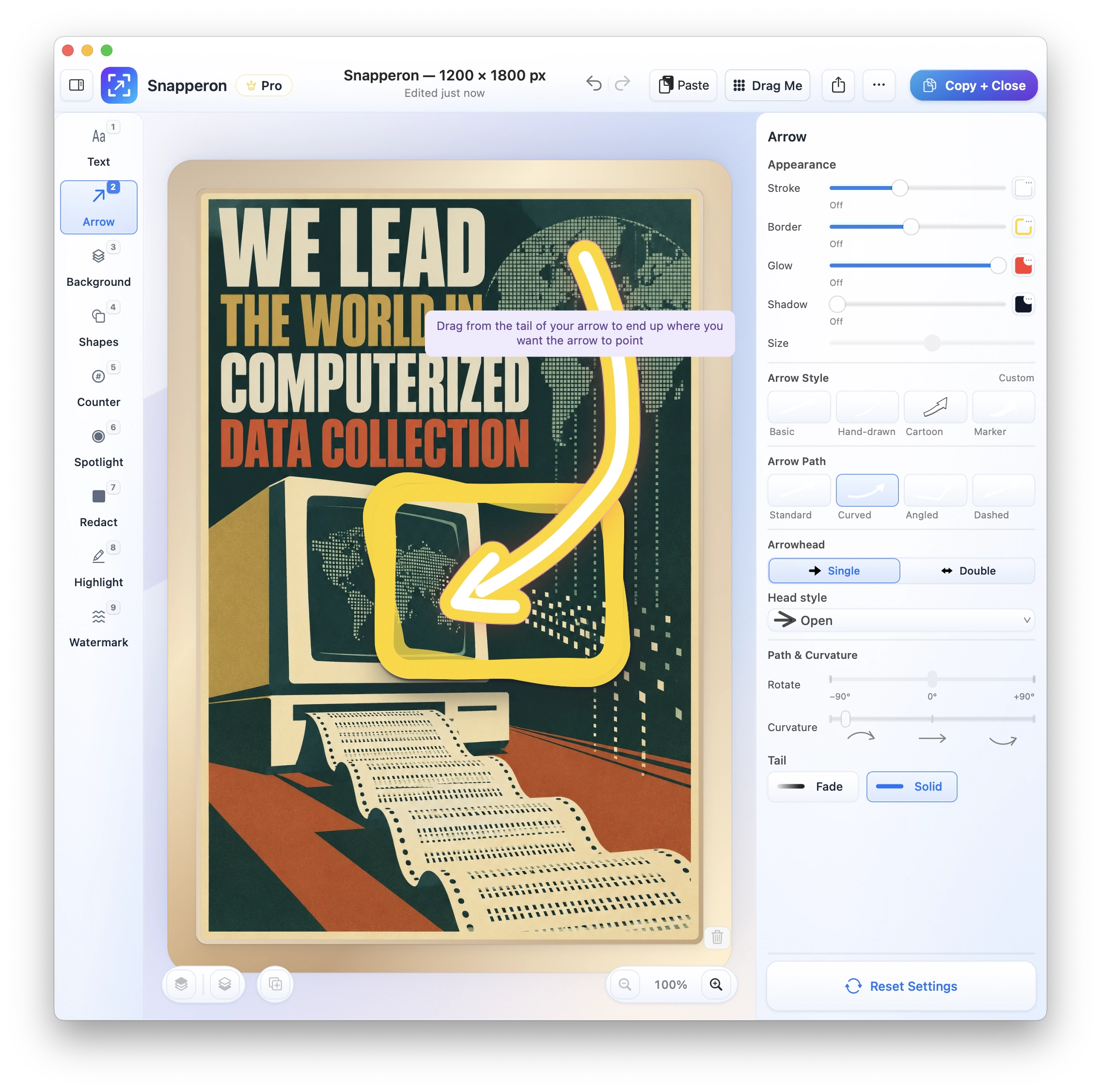
Snapperon is a Mac app for designer-quality annotations on still screenshots, for macOS 14 or later on Apple silicon. Capture or open an image, add your annotations, then use Copy + Close to put it on your clipboard and return to your work.
Is Snapperon a good CleanShot X alternative?
Choose Snapperon if you capture a still screenshot, annotate what matters, and paste it into an email, proposal or deck. Choose the styles, finish with Copy + Close, and return to your work.
Choose CleanShot X if you need screen recordings, scrolling capture or hosted share links as part of your capture workflow.
Make the next step clear
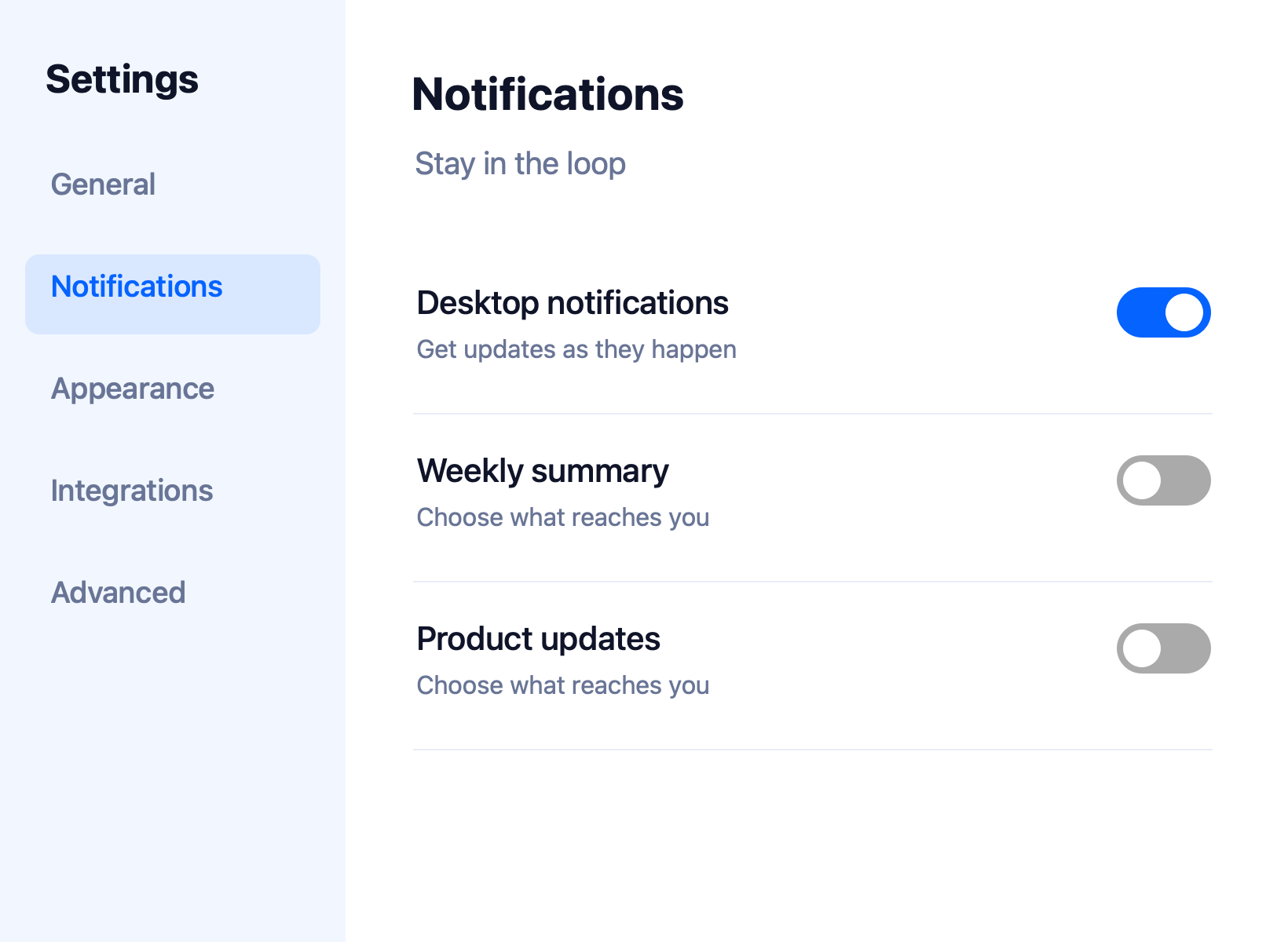
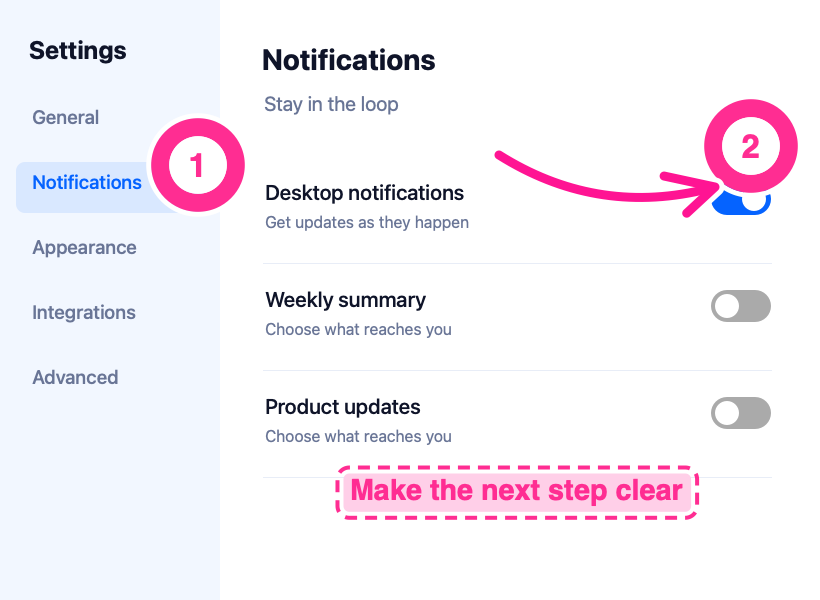
Here’s the same settings screen before and after annotation. The numbered steps, curved arrow and banner tell the reader where to look and what to do.
CleanShot X vs. Snapperon: features
| Your outcome | Snapperon | CleanShot X |
|---|---|---|
| Automate capture & markup locally with AI (MCP) | Included: 18 local MCP commands tested in Claude Desktop & Codex (all 9 tools, render preview, 1-step Undo) | No built-in MCP server documented |
| Make annotations look designed | Text-banner templates and arrow presets, ready to use | Annotation tools and backgrounds included |
| Adjust each annotation | Per-tool styles, colors and appearance controls | Annotation tools included in the full Mac app |
| Explain a sequence or focus attention | Numbered steps and spotlights included | Step annotations and spotlight tools included |
| Get an annotated image to the clipboard | Copy + Close copies the finished image and closes the editor | Copying and dragging screenshots are included |
| Choose where your screenshots go | No screenshot uploads; paste or save where you choose | Local workflows supported; CleanShot Cloud sharing is optional |
| Start without paying | Included: all core tools, 10 screenshots/day, watermark | Not included: paid app with a 30-day money-back guarantee |
| Finish the image for sharing | Backdrops, borders and optional custom watermarks on Pro | Backgrounds, padding and shadows included |
| Start a paid plan | Pro Monthly: $2/month; Annual: $19.99/year; Lifetime: $38.99 | Basic: $35 one-time, with one year of updates |
| Use it on your Mac | macOS 14+ and Apple silicon (M1 or newer) | macOS 13+ |
| Record, capture long pages or copy text | Not included: recording, scrolling capture and text-copy OCR | Included: recording, scrolling capture and OCR |
Send the download link to your Mac.
Free · No account needed · macOS 14+ · Apple Silicon
Why choose Snapperon for still screenshots?
Designer-quality annotations out of the box. Pick a text-banner template and an arrow preset, then adjust their style and color. Designer-friendly tools give you a polished starting point out of the box, ready for your email, proposal or slide. See the annotation styles
Copy + Close speed. Finish the image, choose Copy + Close, and paste it into your email, proposal or slide. That button copies the finished image and closes the editor. See how Snapperon works
Local AI control, editable by hand. Teams using Claude Desktop, Codex or local MCP workflows can automate approved screenshot capture, callouts and redaction. Preview the result, commit a batch as one Undo action and keep every layer editable. Free and Pro rules still apply. Explore local MCP
Gets out of the way. Snapperon opens the screenshot editor after capture and returns you to your work when you finish. It focuses on still images, with no recording tools, no account and no screenshot uploads.
Free CleanShot X alternative: start with Snapperon
Start Free. Pro Monthly is $2/month. Free includes up to 10 screenshots a day. Images you save or share carry a Snapperon watermark. Pro removes both limits and adds more styles.
| Plan | Snapperon | CleanShot X |
|---|---|---|
| Free | All core tools, 10 screenshots/day, Snapperon watermark | No free plan; 30-day money-back guarantee |
| Monthly | Pro Monthly: $2/month | Basic is a one-time purchase |
| Annual | Pro Annual: $19.99/year | Optional Basic update renewal: $19/year after the first year |
| One-time | Lifetime: $38.99 | Basic: $35; includes one year of updates |
CleanShot Basic costs less upfront than Snapperon Lifetime. Its optional update renewal is $19 a year after the included first year. Snapperon lets you start free or choose Pro Monthly at $2.
Prices in USD, checked October 26, 2026. Taxes and regional pricing may vary. See Snapperon’s pricing and CleanShot X features and CleanShot X pricing.
Send the download link to your Mac.
Free · No account needed · macOS 14+ · Apple Silicon
When CleanShot X is the better fit
- Recording and video editing. Choose CleanShot X when you need screen videos and its built-in video editor.
- Scrolling capture. Choose it to capture content that extends beyond one screen.
- Hosted share links. Choose it when you want to upload a capture and send a CleanShot Cloud link.
CleanShot X alternative: questions answered
Can I automate annotations with Claude Desktop or Codex?
Snapperon includes 18 local MCP commands tested in Claude Desktop and Codex Desktop. Capture approved windows, use all nine annotation tools, inspect a rendered preview and commit as one Undo action. Every layer remains editable by hand. Standard Free and Pro limits still apply; no account is needed.
Is Snapperon a good CleanShot X alternative?
Yes. Snapperon is a CleanShot X alternative for still screenshots you annotate and paste into other apps. Text-banner templates and arrow presets give you designer-quality annotations out of the box. Finish with Copy + Close. Choose CleanShot X for recording, scrolling capture or hosted sharing links.
Is there a free CleanShot X alternative?
Yes. Snapperon is a free CleanShot X alternative for still screenshots. The Free plan includes all core annotation tools, up to 10 screenshots a day, and a Snapperon watermark on saved or shared images. No account is needed. Pro removes the daily limit and watermark, starting at $2 per month.
CleanShot X vs. Snapperon: which workflow fits annotated screenshots?
Snapperon fits a capture, annotate and paste workflow. Add designer-made arrows, banners or numbered steps, then use Copy + Close to copy the finished image and close the editor. CleanShot X combines screenshot annotation and copying with screen recording, scrolling capture and cloud sharing.
Is Snapperon cheaper than CleanShot X?
Snapperon is free to start, with Pro at $2/month or $19.99/year. CleanShot Basic is $35 once, below Snapperon Lifetime at $38.99. Basic includes one year of updates, with optional renewal at $19/year afterward. Snapperon’s monthly plan lets you upgrade for $2 without buying a lifetime license.
Will Snapperon and CleanShot X run on my Mac?
Snapperon requires an Apple silicon Mac, M1 or newer, running macOS 14 or later. It does not run on Intel Macs. CleanShot X lists macOS 13 or later as its requirement. Check About This Mac in the Apple menu for your chip and macOS version before downloading Snapperon.
Does Snapperon upload screenshots or require an account?
No. Snapperon requires no account and does not upload your screenshots. You choose where to save or paste each finished image. In this CleanShot X comparison, Snapperon’s workflow stays focused on annotation and Copy + Close, so you can return to the document, email or chat you were working in.
MCP feature documentation checked November 13, 2026 against the official product sources linked above. Read Snapperon’s local MCP scope, client guidance and permissions.
Annotate it. Copy + Close. Get back to your work.
Try designer-quality annotations on your next screenshot.
“I create product launch visuals in minutes. They look like they were made in Figma.”
Send the download link to your Mac.
Free · No account needed · macOS 14+ · Apple Silicon
CleanShot X is a trademark of its respective owner. Snapperon isn’t affiliated with or endorsed by CleanShot X or its developer. Product and pricing sources checked October 26, 2026.