
Shottr alternative for Mac: native styles and local MCP
Choose Snapperon for native callout presets, Copy + Close and AI control. Choose Shottr when scrolling capture, OCR or pixel measurement drives your workflow.
Free · No account needed · macOS 14+ · Apple Silicon
- Designer-quality annotations
- Copy + Close speed
- Gets out of the way
Snapperon requires macOS 14+ and Apple silicon. Check Shottr’s current download requirements for your Mac.
Last updated .
What is Snapperon?
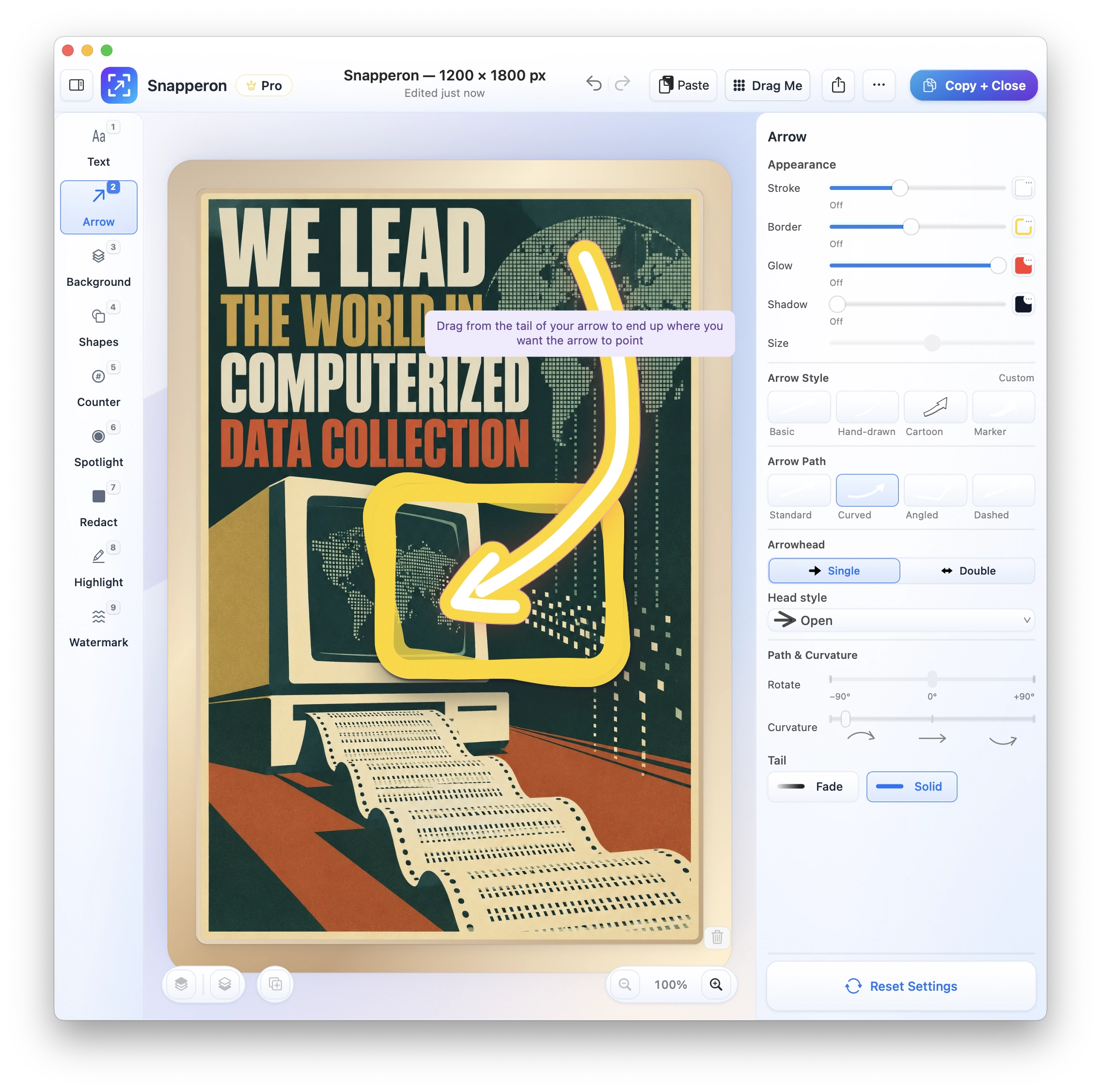
Snapperon is a Mac app for designer-quality annotations on still screenshots, for macOS 14 or later on Apple silicon. Capture or open an image, add your annotations, then use Copy + Close to put it on your clipboard and return to your work.
Is Snapperon a good Shottr alternative?
Choose Snapperon if you want designer-quality native callouts, a mouse-to-assistant workflow and one Undo action for each committed AI batch.
Choose Shottr if you need long-page capture, text extraction, QR reading or pixel measurement.
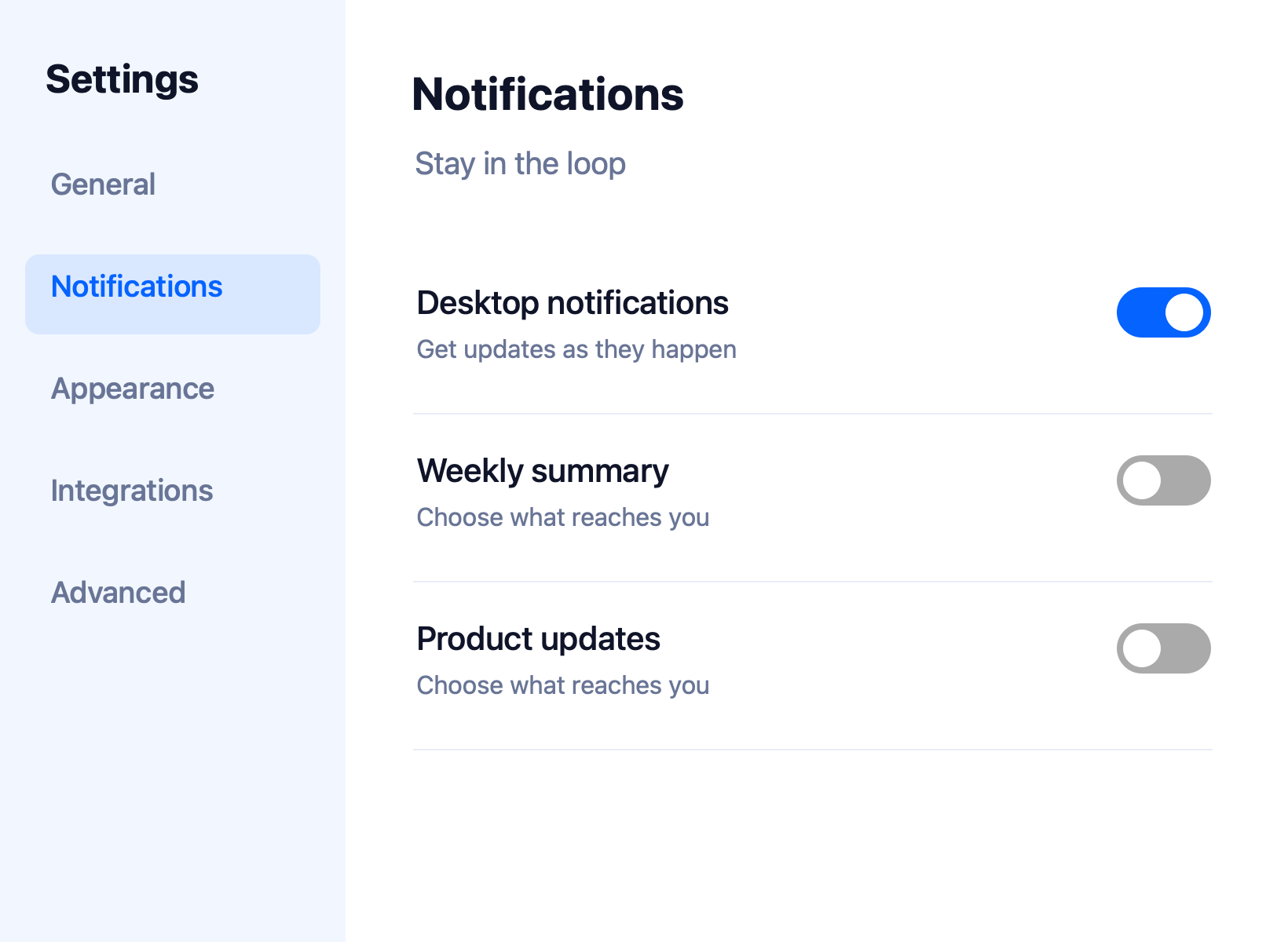
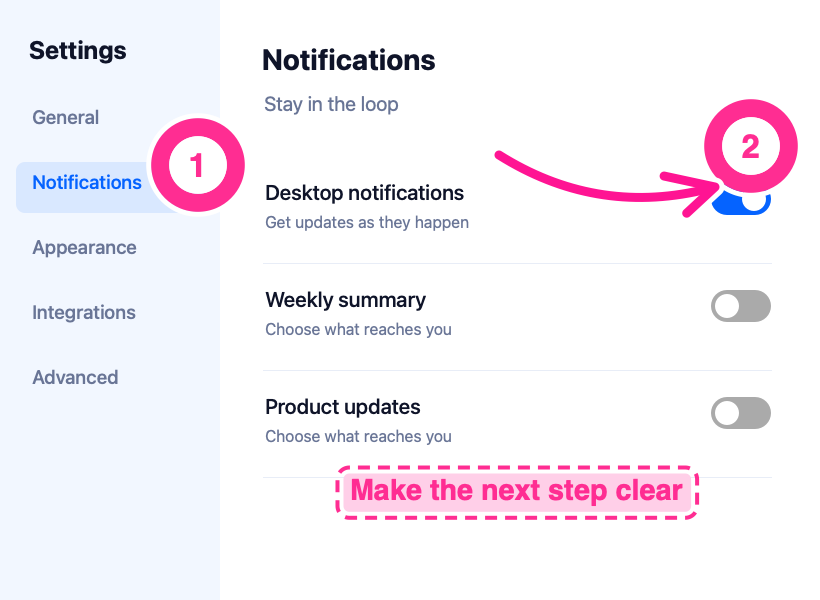
Make the next step clear
Here’s the same settings screen before and after annotation. The numbered steps, curved arrow and banner tell the reader where to look and what to do.
Shottr vs. Snapperon: features
| Your outcome | Snapperon | Shottr |
|---|---|---|
| Automate capture & markup locally with AI (MCP) | Included: 18 local MCP commands verified in Claude Desktop & Codex (all 9 tools, render preview, 1-step Undo) | No built-in MCP server documented |
| Style a screenshot | Native arrows, banners, counters and every reviewed style option | Steps, spotlights, freehand, highlights, curved/hand-drawn arrows and backdrops |
| Capture a long page | Scrolling capture not offered | Scrolling capture with automatic and manual workflows |
| Read text or QR codes | No general OCR/text-copy workflow | OCR and QR recognition |
| Measure pixels | Annotation and framing controls | Screen ruler, magnifier and color picker |
| Frame an image | Backgrounds, padding, borders, corners and shadows | Backgrounds, shadows and rounded corners |
| Refine afterward | Individual native layers; rendered preview before MCP commit | Restore previous captures with editable annotations; rotation keeps annotations editable |
| Share an image | Copy + Close, drag-and-drop, PNG/JPEG | Copy/save and optional upload workflows |
| Keep processing local | No screenshot uploads to Snapperon servers; AI client policies apply | Local workflows and optional cloud/S3 uploads |
| Start with Snapperon Free | 10 screenshots/day, core styles and watermark | See current Shottr license terms |
| Prepare documentation | Numbered steps, banners and repeatable MCP batches | Capture and annotation tools |
Send the download link to your Mac.
Free · No account needed · macOS 14+ · Apple Silicon
Why choose Snapperon for still screenshots?
Designer-quality annotations out of the box. Start with ready-made text-box templates, text effects and arrow effects. Add numbered steps or a spotlight, then adjust the style and color of each annotation. See the annotation styles
Copy + Close speed. Finish the image, choose Copy + Close, and paste it into your email, proposal or slide. That button copies the finished image and closes the editor. See how Snapperon works
Local AI control, editable by hand. Teams using Claude Desktop, Codex or local MCP workflows can automate approved screenshot capture, callouts and redaction. Preview the result, commit a batch as one Undo action and keep every layer editable. Free and Pro rules still apply. Explore local MCP
Gets out of the way. Snapperon opens the screenshot editor after capture and returns you to your work when you finish. It focuses on still images, with no recording tools, no account and no screenshot uploads.
Free Shottr alternative: start with Snapperon
Start Free. Pro Monthly is $2/month. Free includes up to 10 screenshots a day. Images you save or share carry a Snapperon watermark. Pro removes both limits and adds more styles.
Free is $0. Pro is $2/month, $19.99/year or $38.99 one-time. Installation starts a 3-day Pro trial with no account, no credit card and no automatic charge.
Compare the current Shottr license terms with Snapperon’s Free and Pro options. Neither app needs to win every screenshot task.
Snapperon prices in USD. Official feature sources reviewed November 14, 2026. Taxes and regional pricing may vary. See Snapperon’s pricing and Shottr features and Scrolling capture and URL schemes and Shottr FAQ and Shottr release notes.
Send the download link to your Mac.
Free · No account needed · macOS 14+ · Apple Silicon
When Shottr is the better fit
- Long-page capture. Choose Shottr to stitch a scrollable page into one image.
- Extracting text. Choose Shottr for OCR or QR reading.
- Pixel inspection. Choose Shottr for its ruler and color-picking workflow.
Shottr alternative: questions answered
Does Shottr or Snapperon support MCP for Claude Desktop and Codex?
Snapperon includes 18 local MCP commands tested in Claude Desktop and Codex Desktop. Assistants capture authorized windows, place native annotations, preview edits and export while preserving editable layers in the Mac app. Shottr does not document a built-in MCP server in the official sources linked here. Standard Free and Pro rules apply.
Does Shottr already offer backgrounds and annotation styles?
Yes. Its official documentation includes backdrops, steps, spotlights, freehand, highlights, curved arrows and hand-drawn styles. Snapperon’s distinction here is the combination of its native style library, Copy + Close and 18-command local MCP control. Choose based on the work you actually need to finish.
Can Shottr be automated without MCP?
Yes. Shottr documents URL schemes for capture, OCR, opening images and copy/save/edit/pin/thumbnail post-actions, with Shortcuts, Raycast and Alfred integrations. Its documented URL scheme does not expose canvas inspection, individual annotation placement or styling, staged preview/commit batches, PDF-page navigation or edit-history commands. Those integrations are different from Snapperon’s built-in local MCP interface. “No built-in MCP server documented” does not mean “no automation.”
Which app fits scrolling screenshots and OCR?
Shottr is the better fit for those tasks. Snapperon focuses on still-image and PDF-page annotation and does not offer scrolling capture or a general OCR workflow.
Can I start Snapperon without paying?
Yes. Free includes all core annotation tools, up to 10 screenshots per day, core styles, Solid redaction and a Snapperon watermark. Pro adds unlimited captures, the full style/redaction library and custom or no watermark. Local MCP follows the same rules.
MCP feature documentation checked November 14, 2026 against the official product sources linked above. Read Snapperon’s local MCP scope, client guidance and permissions.
Annotate it. Copy + Close. Get back to your work.
Try designer-quality annotations on your next screenshot.
“I create product launch visuals in minutes. They look like they were made in Figma.”
Send the download link to your Mac.
Free · No account needed · macOS 14+ · Apple Silicon
Shottr is a trademark of its respective owner. Snapperon isn’t affiliated with or endorsed by Shottr or its developer. Official feature, scrolling-capture, URL-scheme and FAQ documentation reviewed November 14, 2026.