
Xnapper alternative for Mac: more control over every annotation
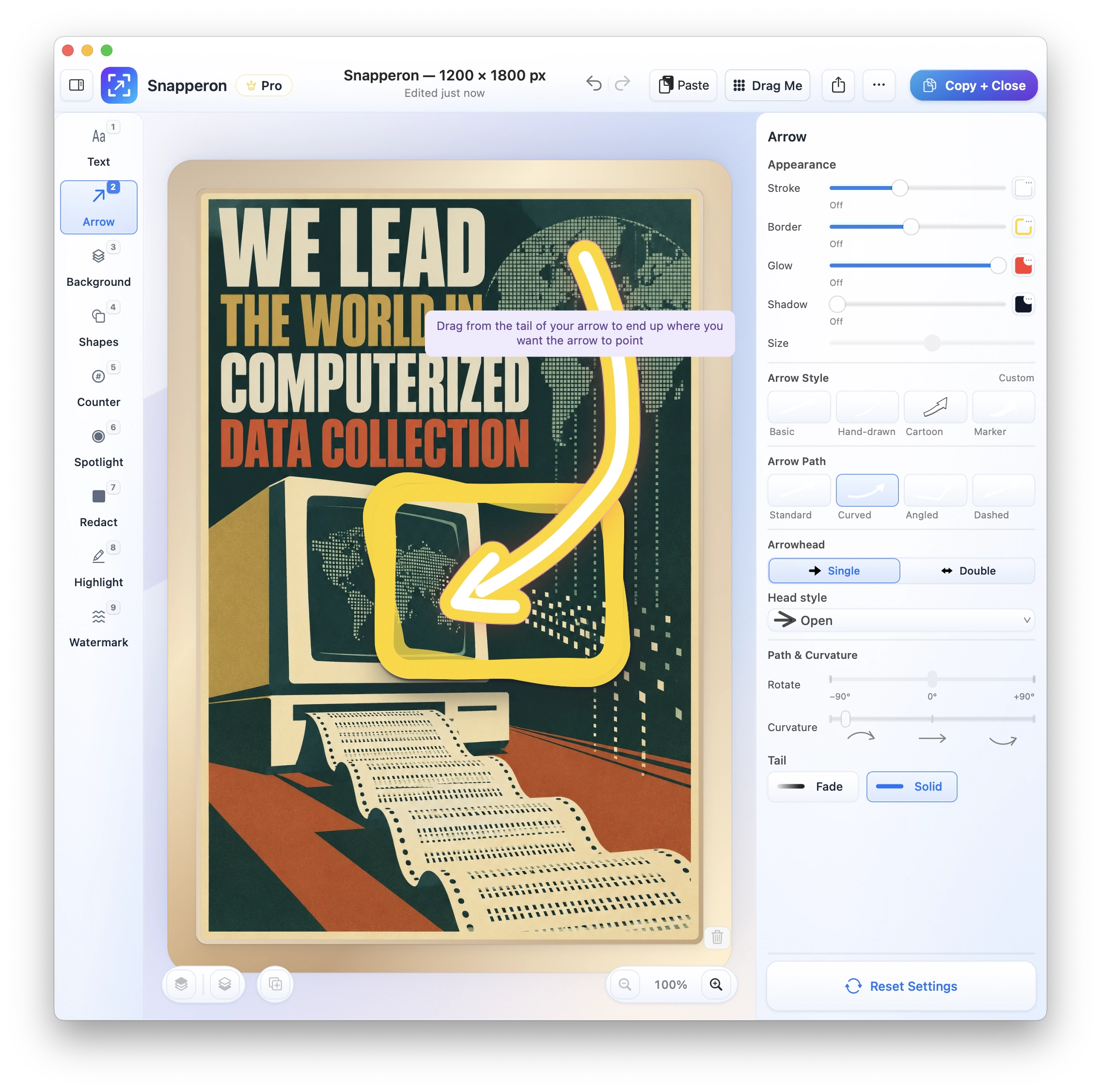
Designer-made arrow styles and text-banner styles out of the box, with extensive controls to make each annotation your own. Xnapper’s styling options are limited.
Free · No account needed · macOS 14+ · Apple Silicon
- Designer-quality annotations
- Copy + Close speed
- Gets out of the way
Xnapper lists macOS 10.15 or newer. Snapperon requires Apple silicon and does not run on Intel Macs.
Last updated .
What is Snapperon?
Snapperon is a Mac app for designer-quality annotations on still screenshots, for macOS 14 or later on Apple silicon. Capture or open an image, add your annotations, then use Copy + Close to put it on your clipboard and return to your work.
Is Snapperon a good Xnapper alternative?
Choose Snapperon if you want to annotate and paste a screenshot, with control over arrows, banners, numbered steps and spotlights. Pick the style, use Copy + Close, and return to your document.
Choose Xnapper if you want automatic image balance, background color and sensitive-data detection, or need to copy text from images.
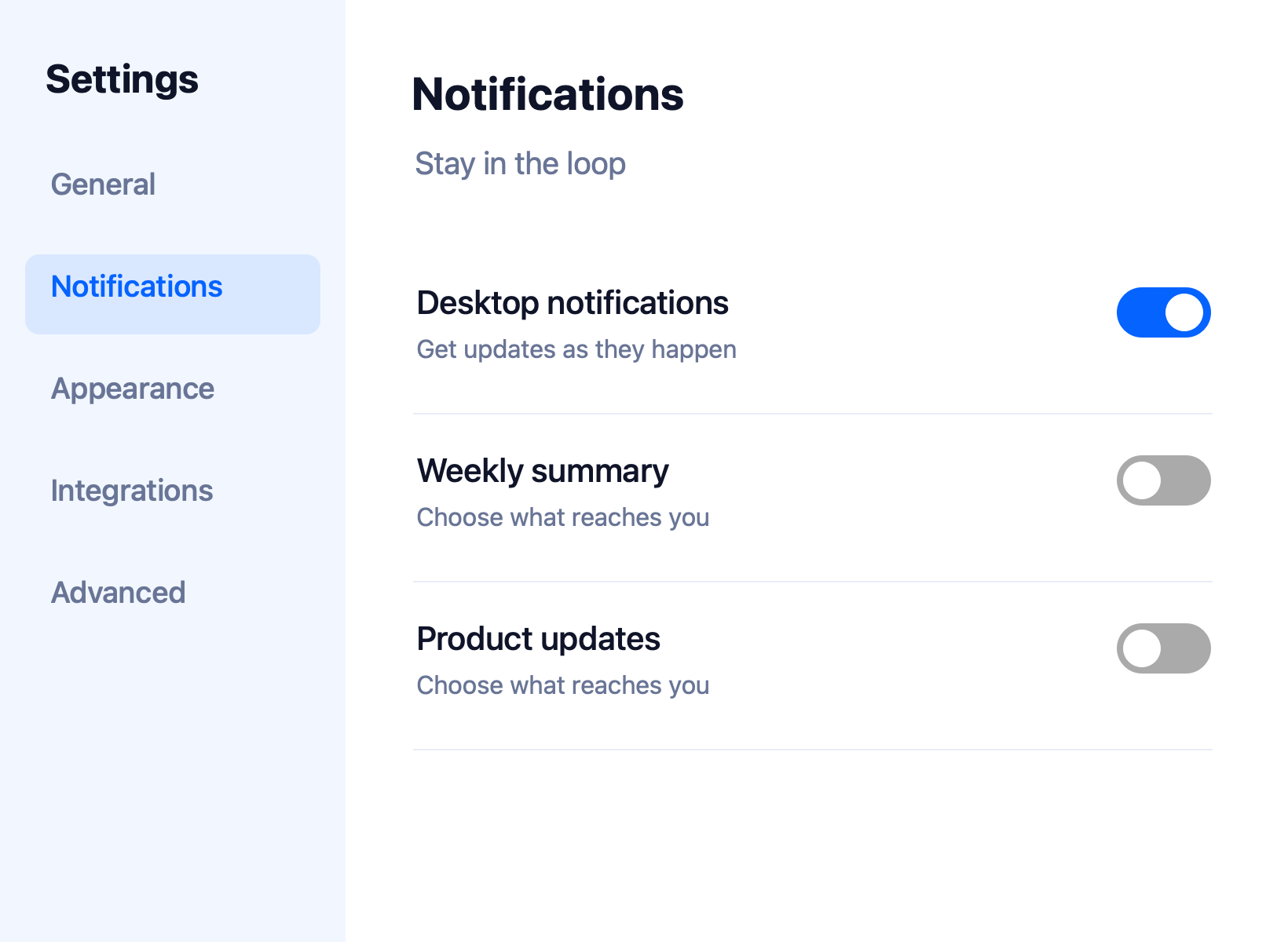
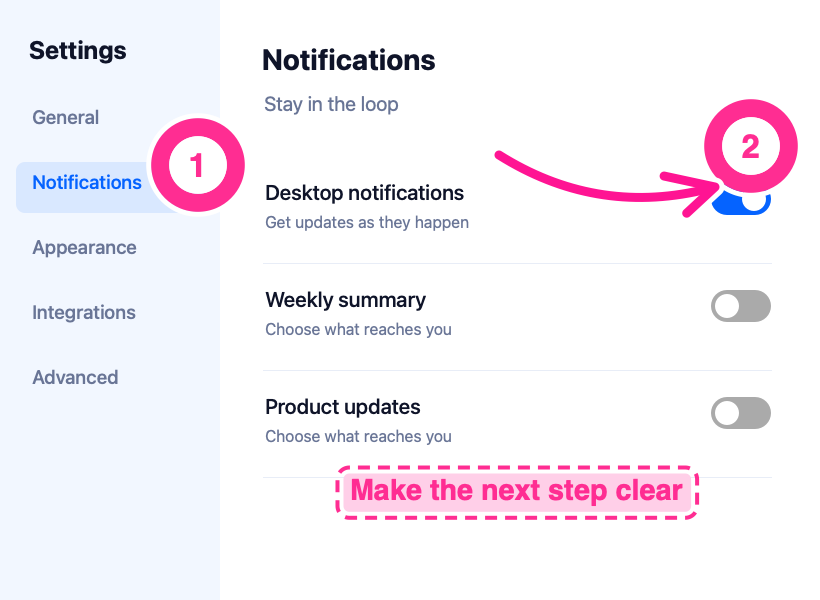
Make the next step clear
Here’s the same settings screen before and after annotation. The numbered steps, curved arrow and banner tell the reader where to look and what to do.
Xnapper vs. Snapperon: features
| Your outcome | Snapperon | Xnapper |
|---|---|---|
| Automate capture & markup locally with AI (MCP) | Included: 18 local MCP commands tested in Claude Desktop & Codex (all 9 tools, render preview, 1-step Undo) | No built-in MCP server documented |
| Make annotations look designed | Designer-made arrow and text-banner styles, ready to use | Limited arrow and text styling options in Xnapper 1.18 |
| Adjust each annotation | Extensive arrow-style and text-banner controls | Basic arrow, shape and text controls |
| Explain a sequence or focus attention | Numbered steps and spotlights included | Not included in Xnapper 1.18 (tested October 21, 2026) |
| Get an annotated image to the clipboard | Copy + Close copies the finished image and closes the editor | Copy-and-close shortcut |
| Choose where your screenshots go | No screenshot uploads; paste or save where you choose | On-device text recognition |
| Start without paying | Included: all core tools, 10 screenshots/day, watermark | Included: free to use with a watermark |
| Finish the image for sharing | Backdrops, borders and optional custom watermarks on Pro | Automatic balance and background color; custom backgrounds |
| Start a paid plan | Pro Monthly: $2/month; Annual: $19.99/year; Lifetime: $38.99 | Basic: $29.99 one-time for one Mac, including one year of updates |
| Use it on your Mac | macOS 14+ and Apple silicon (M1 or newer) | macOS 10.15+ |
| Record, capture long pages or copy text | Not included: recording, scrolling capture and text-copy OCR | Included: OCR |
Send the download link to your Mac.
Free · No account needed · macOS 14+ · Apple Silicon
Why choose Snapperon for still screenshots?
Designer-quality annotations out of the box. Start with ready-made text-box templates, text effects and arrow effects. Add numbered steps or a spotlight, then adjust the style and color of each annotation. Snapperon gives you extensive controls for arrow styles and text-banner styles. Xnapper 1.18 offers limited styling options. See the annotation styles
Copy + Close speed. Finish the image, choose Copy + Close, and paste it into your email, proposal or slide. That button copies the finished image and closes the editor. See how Snapperon works
Local AI control, editable by hand. Teams using Claude Desktop, Codex or local MCP workflows can automate approved screenshot capture, callouts and redaction. Preview the result, commit a batch as one Undo action and keep every layer editable. Free and Pro rules still apply. Explore local MCP
Gets out of the way. Snapperon opens the screenshot editor after capture and returns you to your work when you finish. It focuses on still images, with no recording tools, no account and no screenshot uploads.
Free Xnapper alternative: start with Snapperon
Start Free. Pro Monthly is $2/month. Free includes up to 10 screenshots a day. Images you save or share carry a Snapperon watermark. Pro removes both limits and adds more styles.
| Plan | Snapperon | Xnapper |
|---|---|---|
| Free | All core tools, 10 screenshots/day, Snapperon watermark | Free to use with a watermark |
| Monthly | Pro Monthly: $2/month | Basic is a one-time purchase |
| Annual | Pro Annual: $19.99/year | Optional update renewal at a 40% discount, based on purchase price |
| One-time | Lifetime: $38.99 | Basic: $29.99 for one Mac, including one year of updates |
Xnapper Basic costs less upfront than Snapperon Lifetime. Both offer a free watermarked option. Snapperon Free also has a daily screenshot limit; Pro Monthly starts at $2.
Prices in USD, checked October 26, 2026. Taxes and regional pricing may vary. See Snapperon’s pricing and Xnapper features and Xnapper pricing.
Send the download link to your Mac.
Free · No account needed · macOS 14+ · Apple Silicon
When Xnapper is the better fit
- Automatic balance and background. Choose Xnapper when you want it to arrange the image and choose a background color.
- Automatic redaction. Choose it to detect common sensitive information, including emails, card numbers and API keys.
- OCR. Choose it when you need to select and copy text from an image.
Xnapper alternative: questions answered
Can I automate annotations with Claude Desktop or Codex?
Snapperon includes 18 local MCP commands tested in Claude Desktop and Codex Desktop. Capture approved windows, use all nine annotation tools, inspect a rendered preview and commit as one Undo action. Every layer remains editable by hand. Standard Free and Pro limits still apply; no account is needed.
Is Snapperon a good Xnapper alternative?
Yes. Snapperon is an Xnapper alternative when you want designer-made annotation styles and control over the finished image. Add arrows, banners, numbered steps and spotlights, then Copy + Close and paste. Xnapper is a better fit when you want automatic image balance, background color, sensitive-data detection or text recognition.
Is there a free Xnapper alternative?
Yes. Snapperon is a free Xnapper alternative for still screenshots. The Free plan includes all core annotation tools, up to 10 screenshots a day, and a Snapperon watermark on saved or shared images. No account is needed. Pro removes the daily limit and watermark, starting at $2 per month.
Xnapper vs. Snapperon: which app gives you annotation control?
Snapperon gives you designer-made arrow styles and text-banner styles out of the box, with extensive controls for each annotation. Xnapper 1.18 offers limited arrow and text styling options, with no numbered steps or spotlights. Xnapper 1.18 was tested on October 21, 2026.
Is Snapperon cheaper than Xnapper?
Snapperon is free to start, with Pro at $2/month or $19.99/year. Xnapper Basic costs $29.99 once for one Mac, including one year of updates. That is below Snapperon Lifetime at $38.99. Both free options add a watermark, and Snapperon Free also allows up to 10 screenshots a day.
Will Snapperon and Xnapper run on my Mac?
Snapperon needs an Apple silicon Mac, M1 or newer, running macOS 14 or later. Snapperon does not run on Intel Macs. Xnapper lists macOS 10.15 or later as its requirement. Open About This Mac in the Apple menu to check your chip and macOS version before choosing your download.
Does Snapperon upload screenshots or require an account?
No. Snapperon requires no account and does not upload your screenshots. You choose where to save or paste each finished image. In this Xnapper comparison, Snapperon’s workflow stays focused on annotation and Copy + Close, so you can return to the document, email or chat you were working in.
MCP feature documentation checked November 13, 2026 against the official product sources linked above. Read Snapperon’s local MCP scope, client guidance and permissions.
Annotate it. Copy + Close. Get back to your work.
Try designer-quality annotations on your next screenshot.
“I create product launch visuals in minutes. They look like they were made in Figma.”
Send the download link to your Mac.
Free · No account needed · macOS 14+ · Apple Silicon
Xnapper is a trademark of its respective owner. Snapperon isn’t affiliated with or endorsed by Xnapper or its developer. Xnapper 1.18 · Tested October 21, 2026. Product and pricing sources checked October 26, 2026.